AirscriptAPI控制WPS云表格

python通过Airscript API操作Wps 云表格

  • 前言

    最近的一个新需求需要读取Excel表格,但是表格又为云文档 不方便导出处理,思来想去,找了一些资料也没有响应的方案,有一种基于NodeJs的SDK方案被我放弃了 JSSDK 首先是调用改方法需要收费,其次需要安装Nodejs的环境较为麻烦,所以选择弃用该方案。采用了Airscrpt。

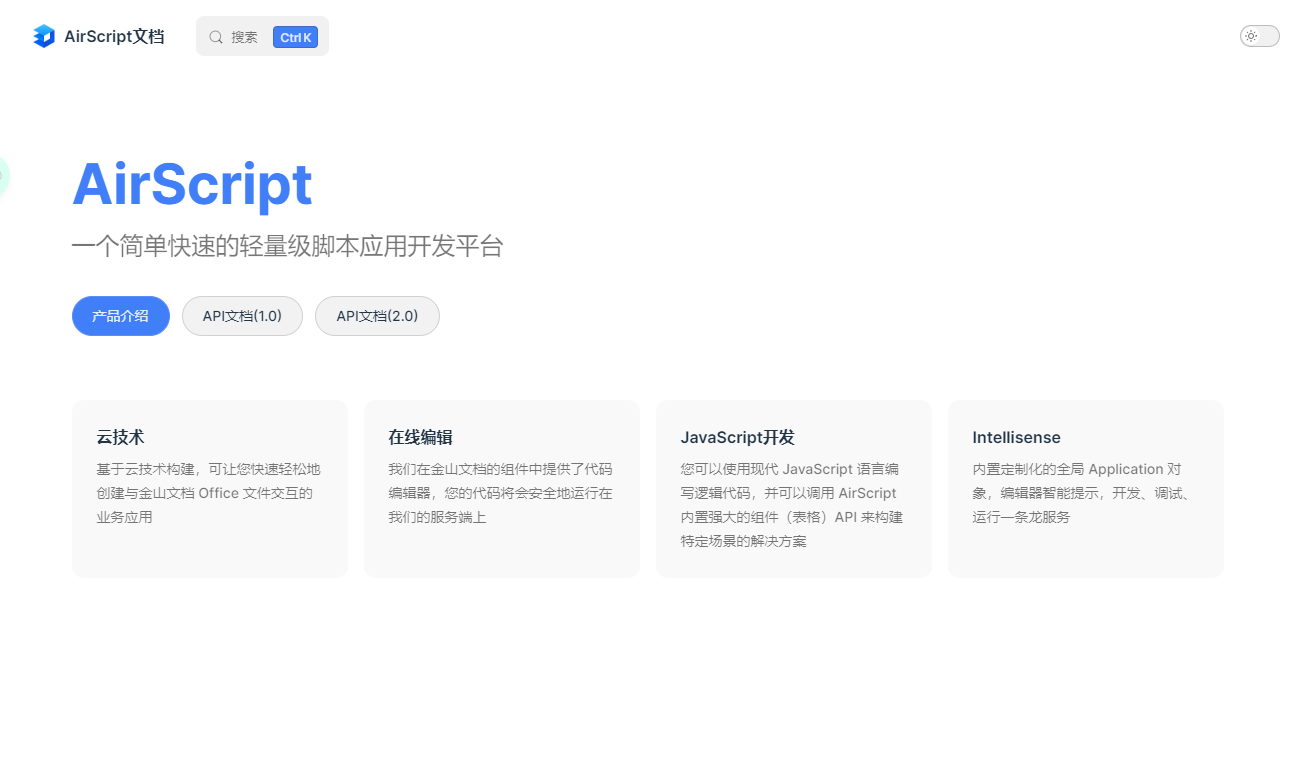
    Airscript官方文档

Airscript 脚本

类似于Javascript 分为1.0版本和2.0版本 2.0版本更为兼容JS的一些API

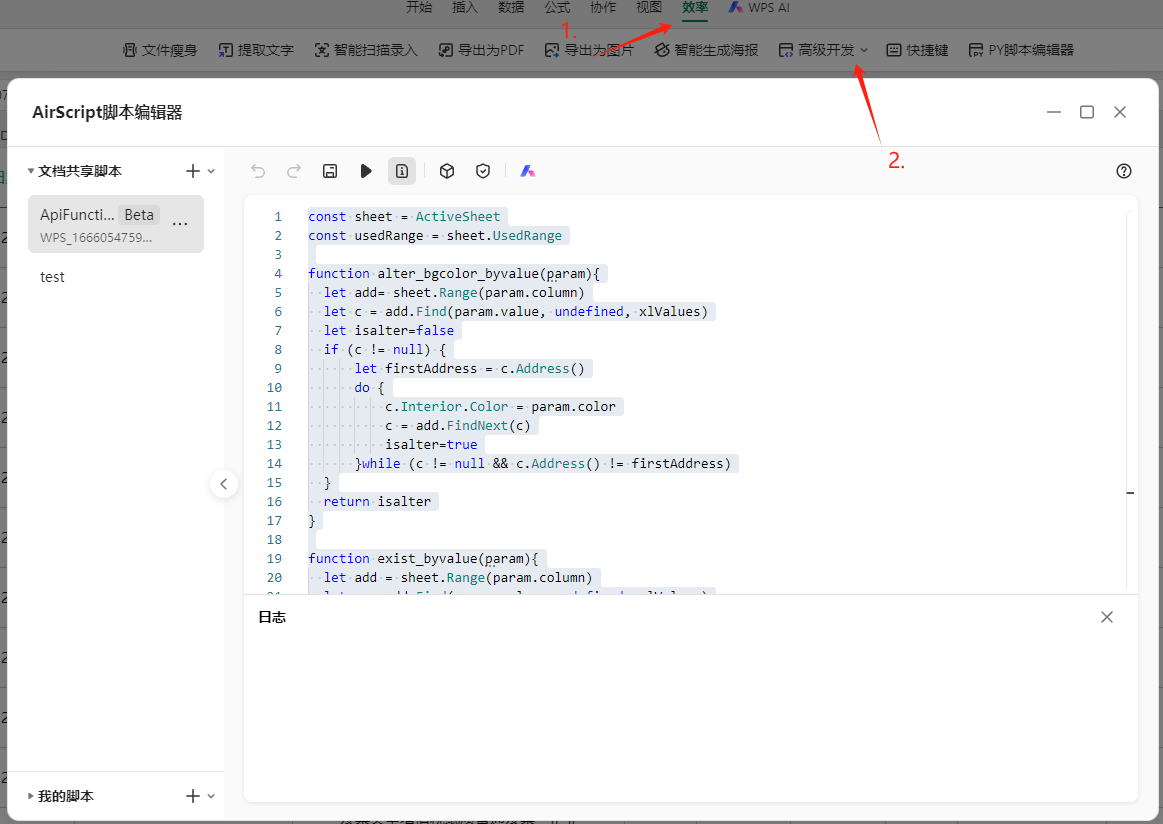
创建一个Airscript脚本

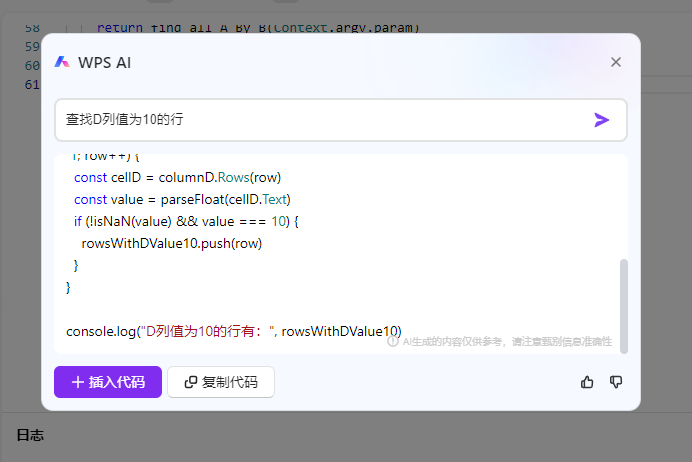
创建完成后就可以编写所需的代码了好在官方提供了一个Ai模型,可以生成代码,加快了上手的速度,该服务还是蛮不错的。

给出一个自己写的demoApi 可以结合Python来远程调用

1
2
3
4
5
6
7
8
9
10
11
12
13
14
15
16
17
18
19
20
21
22
23
24
25
26
27
28
29
30
31
32
33
34
35
36
37
38
39
40
41
42
43
44
45
46
47
48
49
50
51
52
53
54
55
56
57
58
59
60
const sheet = ActiveSheet
const usedRange = sheet.UsedRange

function alter_bgcolor_byvalue(param){
let add= sheet.Range(param.column)
let c = add.Find(param.value, undefined, xlValues)
let isalter=false
if (c != null) {
let firstAddress = c.Address()
do {
c.Interior.Color = param.color
c = add.FindNext(c)
isalter=true
}while (c != null && c.Address() != firstAddress)
}
return isalter
}
function exist_byvalue(param){
let add = sheet.Range(param.column)
let c = add.Find(param.value, undefined, xlValues)
if (c != null) {
return true
}else{
return false
}
}

function find_all_A_By_B(param){
let order_arr=[]
let add=sheet.Range(param.column)
let c = add.Find(param.value, undefined, xlValues)
if (c != null) {
let firstAddress = c.Address()
do {
order_arr.push(c.Offset(param.row, param.cell).Value2)
c = add.FindNext(c)
}while (c != null && c.Address() != firstAddress)
}
return order_arr
}

// orders=find_all_A_By_B(param)
// console.log(orders)

switch(Context.argv.func){
case 'alter_bgcolor_byvalue':
return alter_bgcolor_byvalue(Context.argv.param)
case 'exist_byvalue':
return exist_byvalue(Context.argv.param)
case 'find_all_A_By_B':
// param={
// "value":"2024年9月6日",
// "row":1,
// "cell":1,
// "column":"D:D"
// }
return find_all_A_By_B(Context.argv.param)
default:
return "未知function"
}

获取API令牌和webhook调用链接

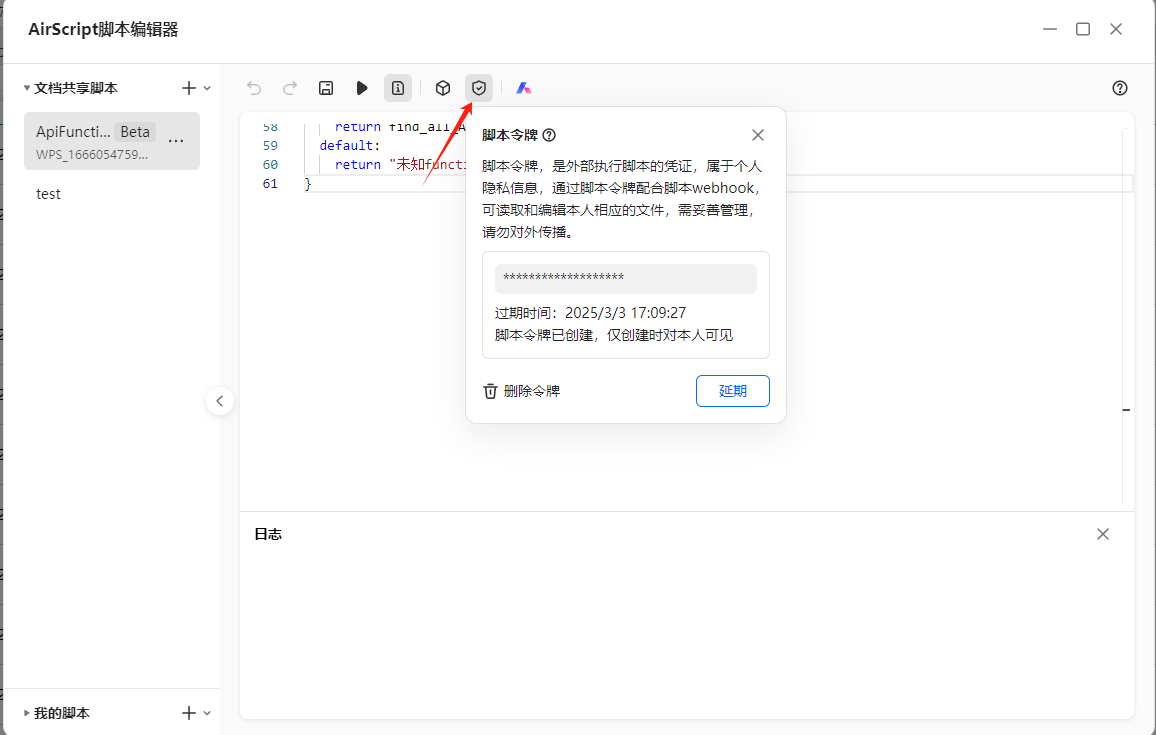
点击这里可以获取脚本令牌,这个是账号级的可以调用其他任何脚本。

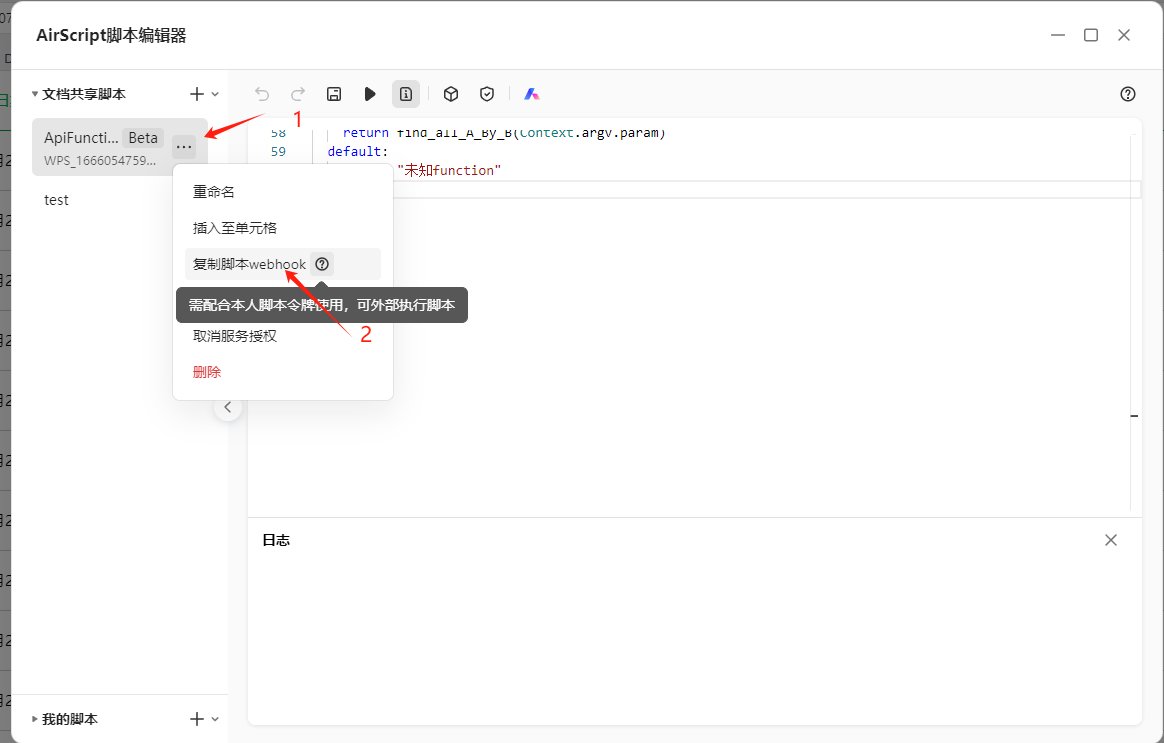
在此处获取脚本的webhook 每个脚本都有单独的一个webhook

其形式是http的url链接https://www.kdocs.cn/api/v3/ide/file/XXXXX/script/XXXX/sync_task

Python调用

对于相关使用可以参考官方的文档:脚本令牌

下方填入你的令牌,和webhook链接即可

1
2
3
4
5
6
7
8
9
10
11
12
13
14
15
16
17
18
19
20
21
22
23
24
25
26
27
28
29
30
31
32
33
34
35
36
37
38
39
40
41
42
43
44
45
46
47
48
49
50
51
52
53
54
55
56
57
58
59
60
61
62
63
64
65
66
67
68
69
70
71
72
73
74
75
76
77
from loguru import logger
import requests

class KColor():
#value = r + 256*g + 256*256*b
Red = 255 #(255, 0, 0)
Green = 65280 #(0, 255, 0)
Blue = 16711680 #(0, 0, 255)
Yellow = 65535 #(255, 255, 0)
White = 16777215 #(255, 255, 255)
Pink = 12434430 #(254, 187, 189)
class KdocsApi:
def __init__(self,token,url):
self.url = url
self.headers = {
'AirScript-Token': token,
'Content-Type': 'application/json'
}

def run_script(self, func, param,sheet_name):
json_data = {
'Context': {
'argv': {
'param': param,
'func': func
},
'sheet_name': sheet_name
},
}
response = requests.post(self.url,
headers=self.headers,
json=json_data)
logger.info(f"请求函数:{func} 请求结果:{response.text}")
return response.json()

# 根据值修改背景颜色
# value: 值
# column: 列
# color_value: 颜色值
def alter_bgcolor_byvalue(self,value,column,color_value,sheet_name):
param = {
'value': value,
'column': column,
'color': color_value
}
return self.run_script('alter_bgcolor_byvalue',param,sheet_name)

# 判断是否存在
# value: 值
# column: 列
# sheet_name: 表名
# exis=ks.exist_byvalue('2276836611175683557','E:E',sheet_name)
def exist_byvalue(self,value,column,sheet_name):
parma={
'value': value,
'column': column
}
return self.run_script('exist_byvalue',parma,sheet_name)

# 根据B列的值查找偏移后A列的值
# value: B列的值
# row: 偏移行数
# cell: 偏移列数
# column: B列的范围
# sheet_name: 表名
def find_all_A_By_B(self,value,row,cell,column,sheet_name):
param = {
"value":value,
"row": row,
"cell": cell,
"column": column
}
return self.run_script('find_all_A_By_B',param,sheet_name)['data']['result']

if __name__ == '__main__':
api=KdocsApi('脚本令牌','webhook')
api.alter_bgcolor_byvalue('ABCDEF','E:E',KColor.Pink,'Sheet1')

AirscriptAPI控制WPS云表格
https://wantoper.github.io/2024/09/06/old/python通过Airscript-API操作Wps-云表格/
作者
Wantoper
发布于
2024年9月6日
许可协议