某里两种版本的水果滑块训练——Yolov5

前言

本章不涉及任何逆向 仅对训练过程及识别方式进行讨论

总所周知 某里系有个著名的滑块 227 由于技术且未达到 所以先不搓js层次的,先对识别部分的先来练练手。某大佬说因为早期验证码内都是一些水果 所以就称为水果滑块

验证码字体处的识别

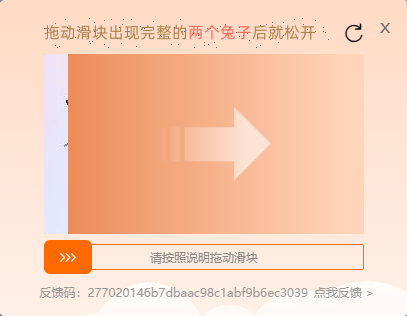
目前我所知的有两个版本

1.0最早期的比较简单在风控后就会出现 一般在登录可以见到 227多滑几次之后就会出现

1.0的识别相对简单可以直接降噪后用opencv识别 但是这里有点坑 直接用opencv读会很模糊后面会提到

2.0的目前没见到过 但是有一个接口会直接访问D

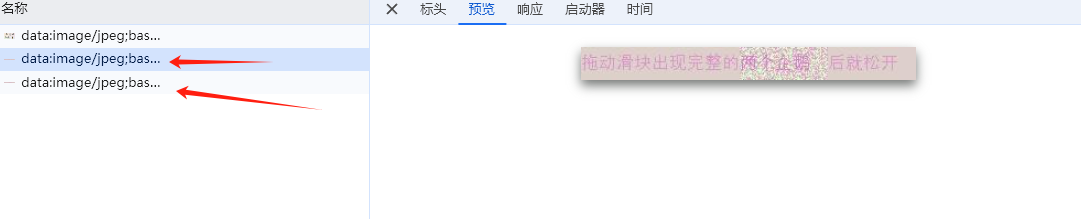
2.0的字体识别位置改为了两张图片反复切换,利用了视觉停留,看清了图片内容,想用截屏的方式是行不通的,两张图片都是带噪点的 单独拎出来是看不清的。

在接口处可以看到两张图片

两种方式采用opencv处理后用DDDDOCR进行识别 效果完全够用!

1.0的文字处理

把坑说在前头

1
2
3
4
5
6
7
8
9
10
11
12
13
14
15
def opencv_img(base64_str):
img_data = base64.b64decode(base64_str.split(',')[1])
nparr = np.frombuffer(img_data, np.uint8)
img=cv2.cvtColor(img, cv2.COLOR_BGRA2BGR)

if img.shape[2] == 4:
b, g, r, a = cv2.split(img)
white_background = np.ones((img.shape[0], img.shape[1], 3), dtype=np.uint8) * 255
for c in range(3):
white_background[:, :, c] = b * (a / 255.0) + white_background[:, :, c] * (1 - a / 255.0)
cv2.imshow('Image with Transparency', white_background)
else:
cv2.imshow('Image', img)
cv2.waitKey(0)
cv2.destroyAllWindows()

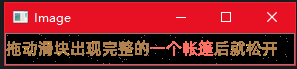
一开始我用这种方式去读取base64的背景图 发现效果是这样的

非常糊,人眼都不太好看清更别说ocr了

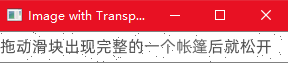
后面琢磨了一天始终没发现是读取图片代码的问题以为是opencv的处理问题,最后挨个试才发现这边需要保留透明通道 改用下面的代码后就行了 很高清无码

1
img = cv2.imdecode(nparr, cv2.IMREAD_UNCHANGED)

这样再丢给ocr就嘚嘚得了

最后因为我需要打包成exe使用 为了压缩体积所以选择不使用Opencv 采用了PIL库

需要用Opencv来识别的可以丢给AI帮你生成一下

附上PIL的代码

1
2
3
4
5
6
7
8
9
10
11
12
13
14
15
def deal_que_new_img(bin_image):
ocr = DdddOcr(show_ad=False)
img = Image.open(BytesIO(bin_image)).convert("RGBA")
background = Image.new("RGBA", img.size, (255, 255, 255, 255))
img = Image.alpha_composite(background, img)
image = img.crop((143, 0, img.size[0], img.size[1]))
# image.show()
ocr_res = ocr.classification(image).split('后')[0]
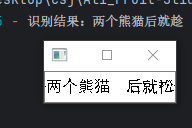
logger.info(f"识别结果:{ocr_res}")
return ocr_res

titleimg="base64"
que_img = b64decode(titleimg.split('base64,')[-1])
queue = deal_que_new_img(que_img)

至此第一步就完成了

2.0的文字处理

2.0的较为复杂一些一开始也思考了挺久,都准备上模型了,后面在公众号找到一个大佬的文章看了之后茅顿开 醍醐灌顶。


既然利用了视觉停留 在页面上图片反复跳转时字体还是蛮清晰的,所以将两张图片合二为一进行像素点遍历,保留两张图都存在的像素点,一张有 一张没有的像素点就去除掉。没有的话设为0白色 都有的话设为255黑色

1
2
3
4
5
6
7
8
9
#同时遍历两张图片,找到不同的像素点 删除掉
for y in range(original.shape[0]):
for x in range(original.shape[1]):
if np.any(original[y, x]) == 0 and np.any(original2[y, x]) == 0:
original[y, x] = 0
original2[y, x] = 0
else:
original[y, x] = 255
original2[y, x] = 255

效果还是挺好的 从”后”进行切割一下就行

滑块图的处理及训练

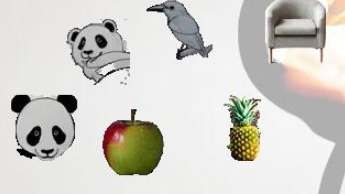
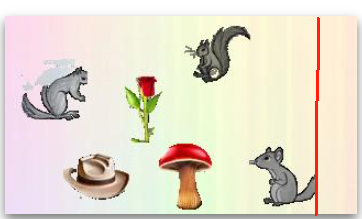
图片长这样

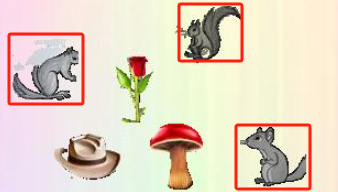
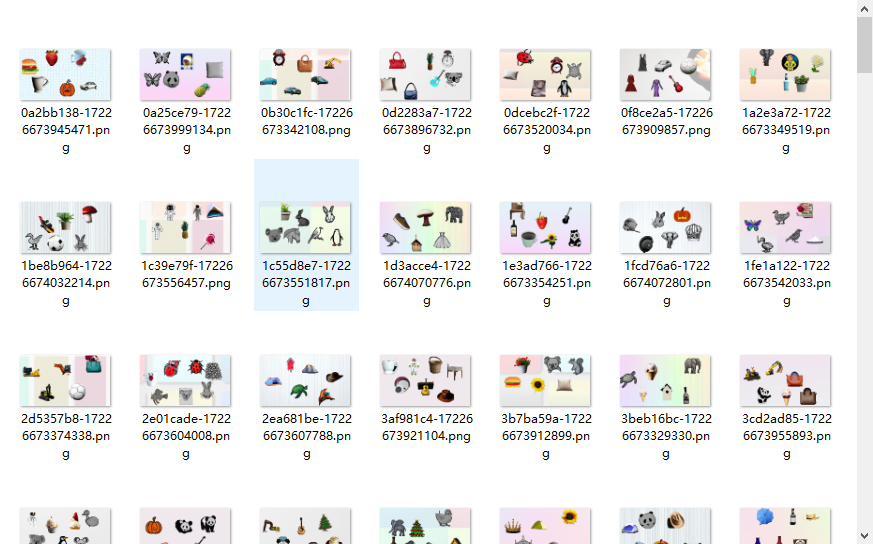
多刷了几次我发现这样有规律 一般需要验证的物体的都在最后一个 例如两个熊猫 三个苹松鼠 一个鱼 只需要找到最后一个物体的坐标即可

有了这个规律就不需要语义模型来二次识别了

后期训练出yolo后遍历x坐标最大的即可获得出坐标位置。

模型训练

训练前先要获取数据主要是图片和类别

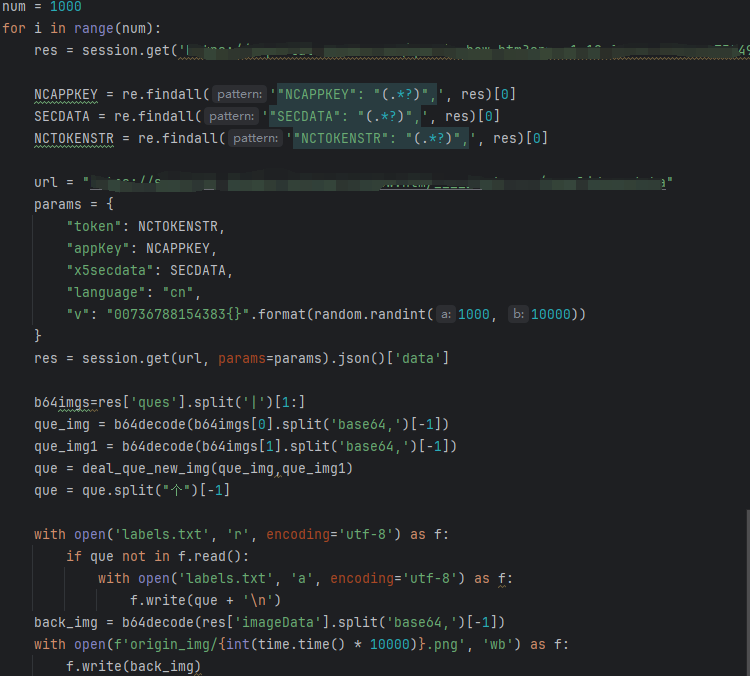
获取直接就猛猛调接口就行了 也不建议太快 这里附上代码图 代码就不贴了

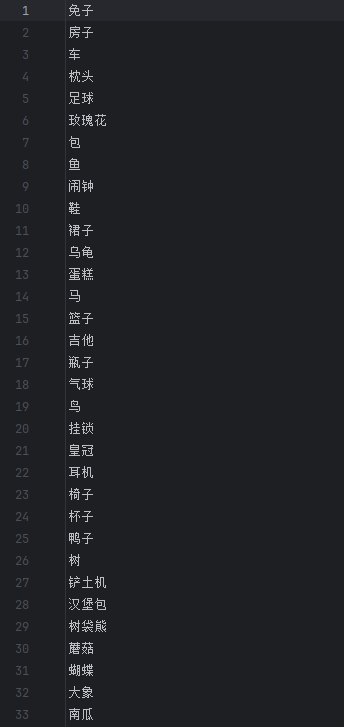
调接口把背景图保存,然后用前面的方法识别一下标题上的字获取类别,下来230多张就已经足够了 97%的准确率。类别的话可以多跑一些 基本上就能全跑完

打标注

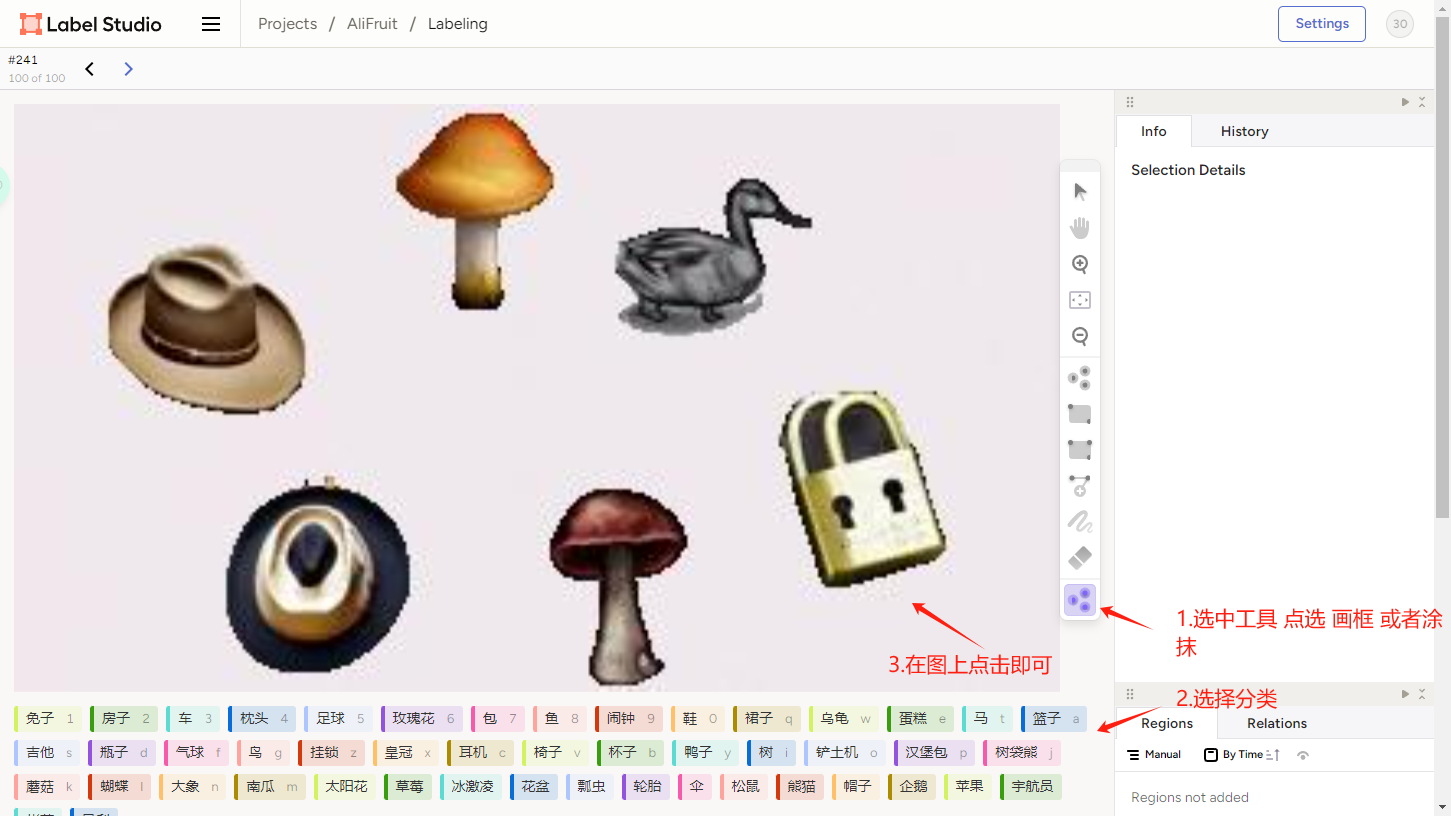
打标注我这里用label-studio+sam半自动标注 只需要点点点就行 可以看之前发过的一篇

我这里只标注了230张就用来训练了

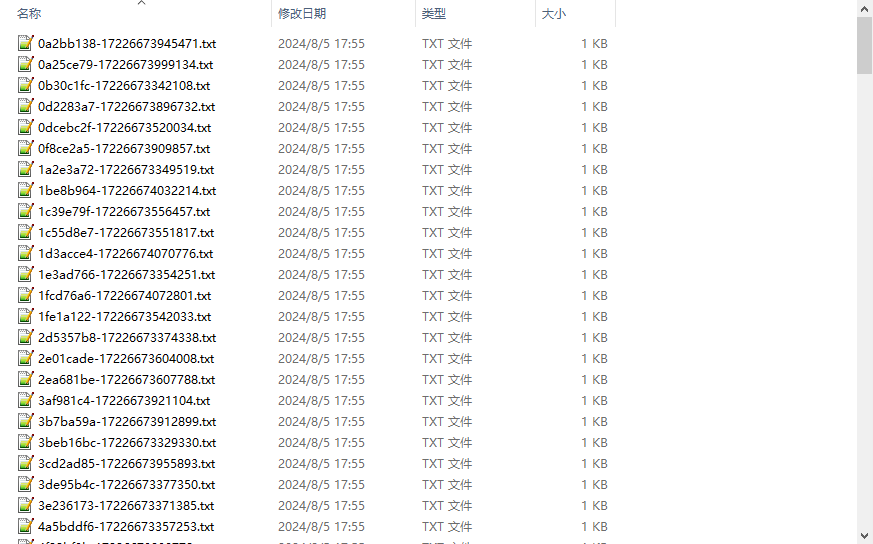
最后导出成yolo格式的数据

Yolov5的训练

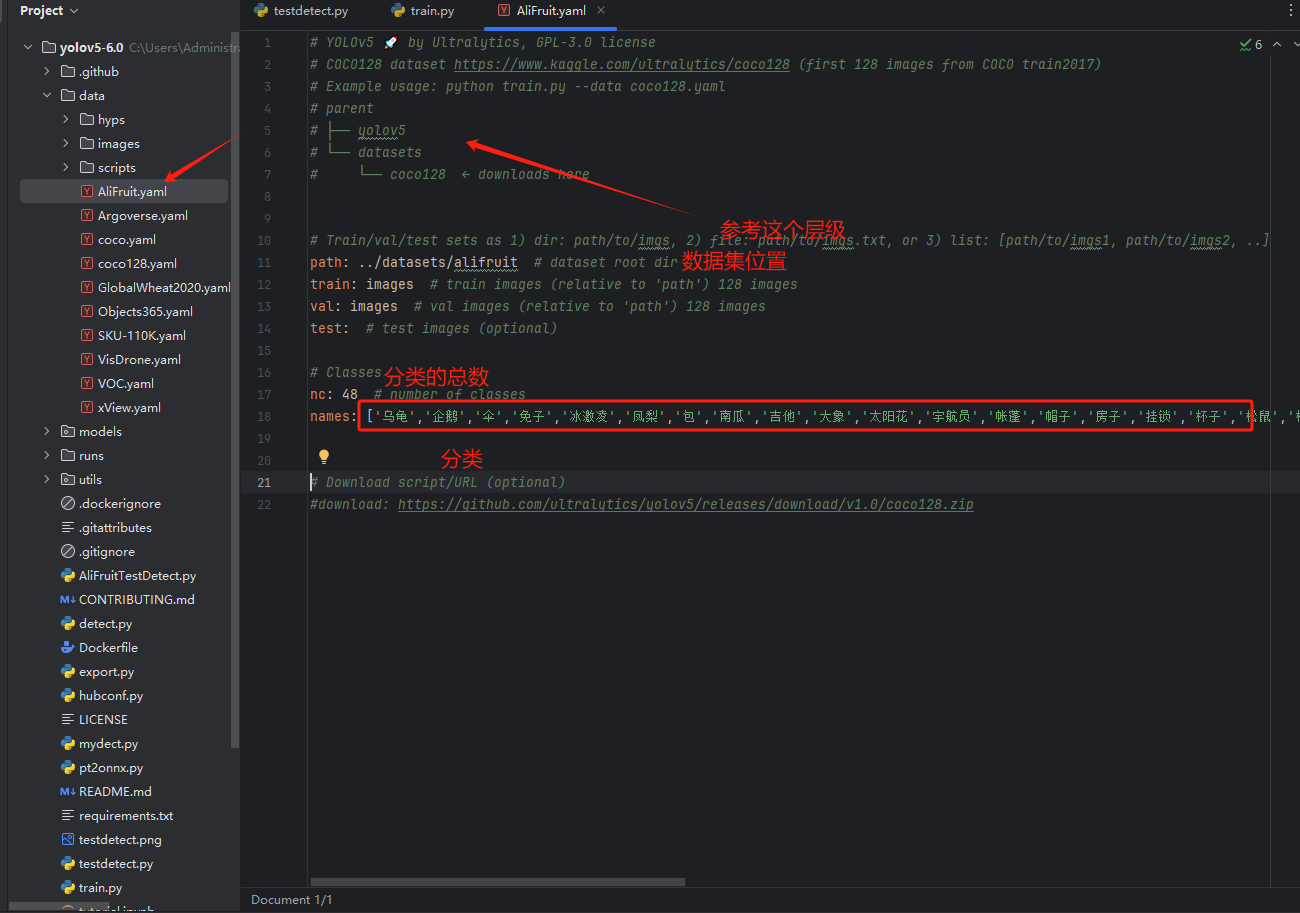
预装Yolov5 Copy一份coco的修改成自己的yaml

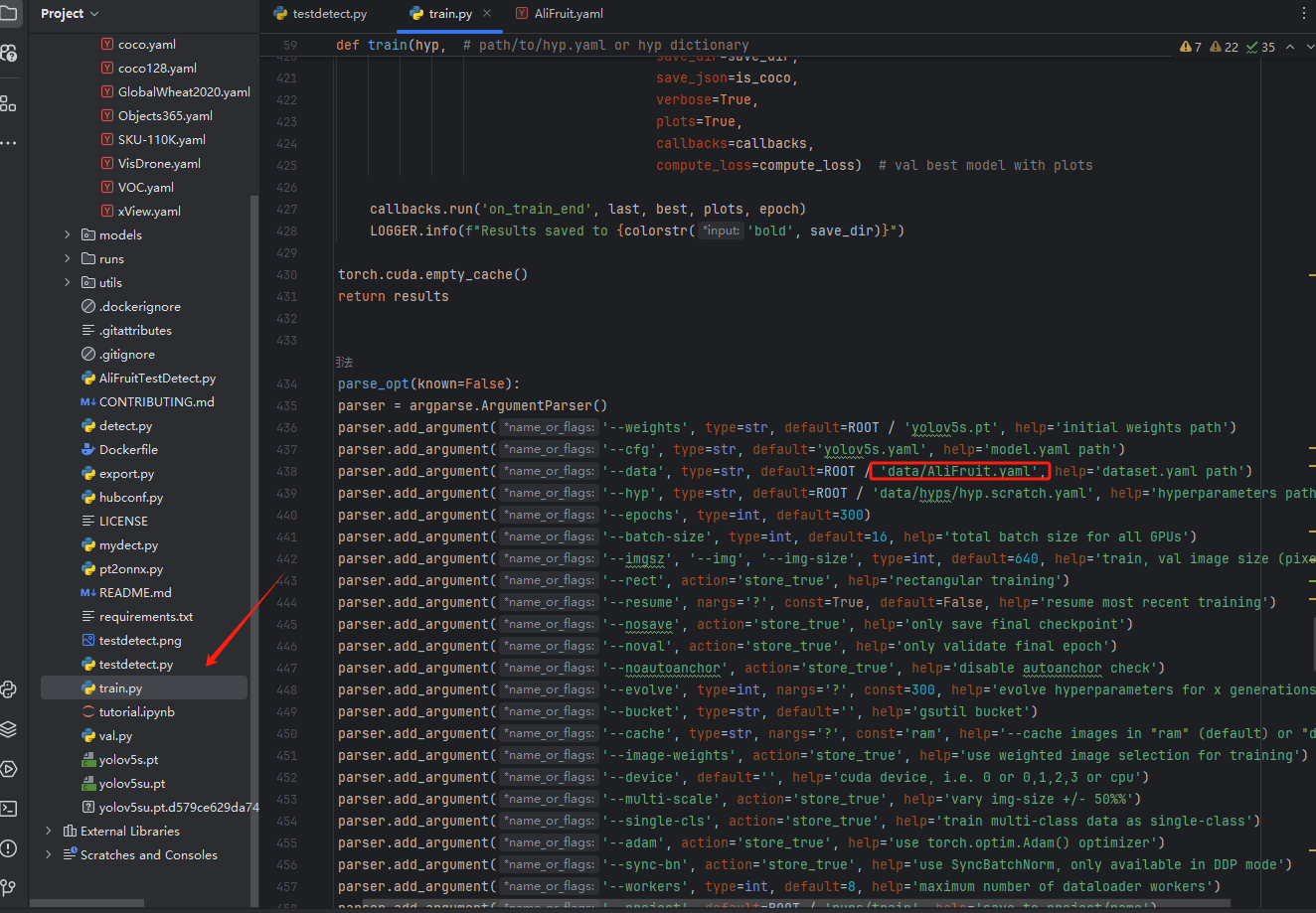
简单修改一下train.py 的参数就可以运行 开始训练了 我这里只改了数据集的位置 其他都用默认的就好了

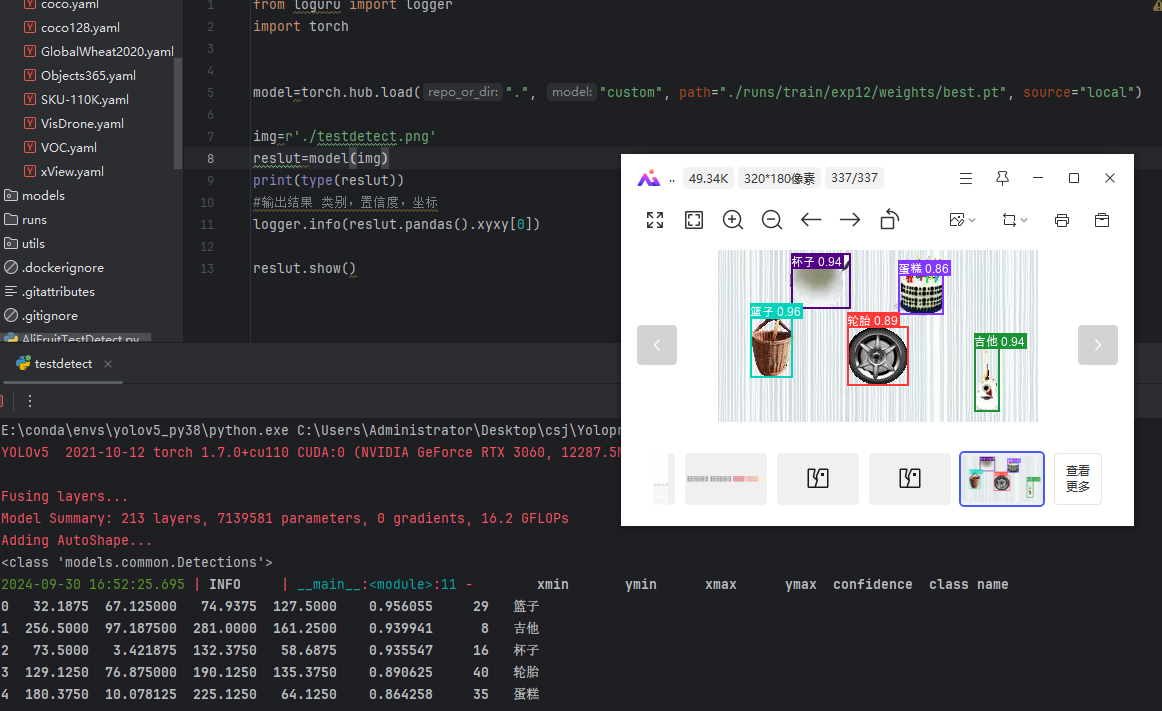
训练好后测试一下 识别效果还不错

1
2
3
4
5
6
7
8
9
10
11
12
from loguru import logger
import torch

model=torch.hub.load(".", "custom", path="./runs/train/exp12/weights/best.pt", source="local")

img=r'./testdetect.png'
reslut=model(img)
print(type(reslut))
#输出结果 类别,置信度,坐标
logger.info(reslut.pandas().xyxy[0])

reslut.show()

按照前面的规律就可以直接用了

1.使用获取标题

2.调用模型获得图片中所有分类

3.在模型结果中进行遍历 获取标题类别的所有坐标

4.遍历坐标x最大位置坐标就是了 最后还要加上当前框框的宽度就行了

迁移部署

因为考虑了部署机器性能的原因我对其进行了迁移

转为Onnx

直接在Yolo项目下对模型转换成onnx格式的

1
2
3
4
5
6
7
8
9
10
11
12
import torch
import torchvision
from models.experimental import attempt_load
# 加载模型权重
model = attempt_load('runs/train/exp12/weights/best.pt', map_location=torch.device('cpu'))
# 设置模型为评估模式
model.eval()
# 准备一个示例输入
input_tensor = torch.randn(1, 3, 640, 640) # 假设输入图像大小为 640x640
# 导出模型
#Lib\site-packages\torch\nn\modules\ activation.py
torch.onnx.export(model, input_tensor, 'AliFruit.onnx',opset_version=11)

转为后封装一下模型 还有一些必要的函数nms xywh2xyxy extrack letterbox这些我都是从yolo里面Copy出来的 为了最简化 这里贴出一下

1
2
3
4
5
6
7
8
9
10
11
12
13
14
15
16
17
18
19
20
21
22
23
24
25
26
27
28
29
30
31
32
33
34
35
36
37
38
39
40
41
42
43
44
45
46
47
48
49
50
51
52
53
54
55
56
57
58
59
60
61
62
63
64
65
66
67
68
69
70
71
72
73
74
75
76
77
78
79
80
81
82
83
84
85
86
87
88
89
90
91
92
93
94
95
96
97
98
99
100
101
102
103
104
105
106
107
108
109
110
111
112
113
114
115
116
117
118
119
120
121
122
123
124
125
126
127
128
129
130
131
132
133
134
135
136
class YOLOV5_ONNX(object):
def __init__(self,onnx_path):
'''初始化onnx'''
self.onnx_session=onnxruntime.InferenceSession(onnx_path)
self.classes=['乌龟','企鹅','伞','免子','冰激凌','凤梨','包','南瓜','吉他','大象','太阳花','宇航员','帐蓬','帽子','房子','挂锁','杯子','松鼠','枕头','树','树袋熊','椅子','气球','汉堡包','熊猫','玫瑰花','瓢虫','瓶子','皇冠','篮子','耳机','花盆','苹果','草莓','蘑菇','蛋糕','蝴蝶','裙子','足球','车','轮胎','铲土机','闹钟','鞋','马','鱼','鸟','鸭子']
def letterbox(self,img, new_shape=(640, 640), color=(114, 114, 114), auto=False, scaleFill=False, scaleup=True,stride=32):
'''图片归一化'''
# Resize and pad image while meeting stride-multiple constraints
shape = img.shape[:2] # current shape [height, width]
if isinstance(new_shape, int):
new_shape = (new_shape, new_shape)

# Scale ratio (new / old)
r = min(new_shape[0] / shape[0], new_shape[1] / shape[1])
if not scaleup: # only scale down, do not scale up (for better test mAP)
r = min(r, 1.0)

# Compute padding
ratio = r, r # width, height ratios

new_unpad = int(round(shape[1] * r)), int(round(shape[0] * r))
dw, dh = new_shape[1] - new_unpad[0], new_shape[0] - new_unpad[1] # wh padding

if auto: # minimum rectangle
dw, dh = np.mod(dw, stride), np.mod(dh, stride) # wh padding
elif scaleFill: # stretch
dw, dh = 0.0, 0.0
new_unpad = (new_shape[1], new_shape[0])
ratio = new_shape[1] / shape[1], new_shape[0] / shape[0] # width, height ratios

dw /= 2 # divide padding into 2 sides
dh /= 2

if shape[::-1] != new_unpad: # resize
img = cv2.resize(img, new_unpad, interpolation=cv2.INTER_LINEAR)

top, bottom = int(round(dh - 0.1)), int(round(dh + 0.1))
left, right = int(round(dw - 0.1)), int(round(dw + 0.1))

img = cv2.copyMakeBorder(img, top, bottom, left, right, cv2.BORDER_CONSTANT, value=color) # add border
return img, ratio, (dw, dh)
def infer(self,src_img):
'''执行前向操作预测输出'''
or_img = self.letterbox(src_img, (640, 640), stride=32)[0]
# BGR2RGB
img = or_img[:, :, ::-1].transpose(2, 0, 1) # BGR2RGB和HWC2CHW
img = img.astype(dtype=np.float32)
img /= 255.0
img = np.expand_dims(img, axis=0)
pred = self.onnx_session.run(None, {self.onnx_session.get_inputs()[0].name: img})[0]

outbox = model.extrack(pred, 0.5, 0.5)

# draw(or_img, outbox)
# cv2.imshow('result', or_img)
# cv2.waitKey(0)

return outbox

# dets: array [x,6] 6个值分别为x1,y1,x2,y2,score,class
# thresh: 阈值
def nms(self, dets, thresh):
x1 = dets[:, 0]
y1 = dets[:, 1]
x2 = dets[:, 2]
y2 = dets[:, 3]
# -------------------------------------------------------
# 计算框的面积
# 置信度从大到小排序
# -------------------------------------------------------
areas = (y2 - y1 + 1) * (x2 - x1 + 1) # 公式=长*宽
scores = dets[:, 4]
keep = []
index = scores.argsort()[::-1]
while index.size > 0:
i = index[0]
keep.append(i)
# -------------------------------------------------------
# 计算相交面积
# 1.相交
# 2.不相交
# -------------------------------------------------------

x11 = np.maximum(x1[i], x1[index[1:]])
y11 = np.maximum(y1[i], y1[index[1:]])
x22 = np.minimum(x2[i], x2[index[1:]])
y22 = np.minimum(y2[i], y2[index[1:]])

w = np.maximum(0, x22 - x11 + 1)
h = np.maximum(0, y22 - y11 + 1)

overlaps = w * h
# -------------------------------------------------------
# 计算该框与其它框的IOU,去除掉重复的框,即IOU值大的框
# IOU小于thresh的框保留下来
# -------------------------------------------------------
ious = overlaps / (areas[i] + areas[index[1:]] - overlaps)
idx = np.where(ious <= thresh)[0]
index = index[idx + 1]
return keep
def xywh2xyxy(self, x):
# [x, y, w, h] to [x1, y1, x2, y2]
y = np.copy(x)
y[:, 0] = x[:, 0] - x[:, 2] / 2 # x=x-w/2
y[:, 1] = x[:, 1] - x[:, 3] / 2 # y=y-h/2
y[:, 2] = x[:, 0] + x[:, 2] / 2 # x=x+w/2
y[:, 3] = x[:, 1] + x[:, 3] / 2 # y=y+h/2
return y
def extrack(self, output, conf_thres=0.5, iou_thres=0.5):
output = np.squeeze(output)
# 过滤掉置信度小于0.5的框
outputcheck = output[..., 4] > conf_thres
output = output[outputcheck]

# 获取每个框最大置信度的类别 放到第6列 x,y,w,h,conf,class·····
for i in range(len(output)):
output[i][5] = np.argmax(output[i][5:])
# 只取前6列 x,y,w,h,conf,class
output = output[..., 0:6]
# 将x,y,w,h转换为x1,y1,x2,y2
output = self.xywh2xyxy(output)
# 过滤掉重复的框
output1 = self.nms(output, iou_thres)
outputlist = []
for i in output1:
outputlist.append(output[i])
outputlist = np.array(outputlist)
return outputlist

if __name__=="__main__":
model = YOLOV5_ONNX(onnx_path="./AliFruit.onnx")
background_img="base64"
back_img = b64decode(background_img.split('base64,')[-1])
back_img = cv2.imdecode(np.frombuffer(back_img, np.uint8), cv2.IMREAD_COLOR)
result = model.infer(back_img).tolist()

最后我使用了flask来部署调用

这里附上全部代码(1.0版本的)

1
2
3
4
5
6
7
8
9
10
11
12
13
14
15
16
17
18
19
20
21
22
23
24
25
26
27
28
29
30
31
32
33
34
35
36
37
38
39
40
41
42
43
44
45
46
47
48
49
50
51
52
53
54
55
56
57
58
59
60
61
62
63
64
65
66
67
68
69
70
71
72
73
74
75
76
77
78
79
80
81
82
83
84
85
86
87
88
89
90
91
92
93
94
95
96
97
98
99
100
101
102
103
104
105
106
107
108
109
110
111
112
113
114
115
116
117
118
119
120
121
122
123
124
125
126
127
128
129
130
131
132
133
134
135
136
137
138
139
140
141
142
143
144
145
146
147
148
149
150
151
152
153
154
155
156
157
158
159
160
161
162
163
164
165
166
167
168
169
170
171
172
173
174
175
176
177
178
179
180
181
182
183
184
185
186
187
188
189
190
191
192
193
194
195
196
197
198
199
200
201
202
203
204
205
#encoding:utf-8
import time
from io import BytesIO
import onnxruntime
from loguru import logger
from base64 import b64decode
import numpy as np
import cv2
from PIL import Image
from ddddocr import DdddOcr
from flask import Flask, request

logger.add("Flask_Web.log", rotation="10 MB", encoding="utf-8", level="INFO")
app = Flask(__name__)

class YOLOV5_ONNX(object):
def __init__(self,onnx_path):
'''初始化onnx'''
self.onnx_session=onnxruntime.InferenceSession(onnx_path)
self.classes=['乌龟','企鹅','伞','免子','冰激凌','凤梨','包','南瓜','吉他','大象','太阳花','宇航员','帐蓬','帽子','房子','挂锁','杯子','松鼠','枕头','树','树袋熊','椅子','气球','汉堡包','熊猫','玫瑰花','瓢虫','瓶子','皇冠','篮子','耳机','花盆','苹果','草莓','蘑菇','蛋糕','蝴蝶','裙子','足球','车','轮胎','铲土机','闹钟','鞋','马','鱼','鸟','鸭子']
def letterbox(self,img, new_shape=(640, 640), color=(114, 114, 114), auto=False, scaleFill=False, scaleup=True,stride=32):
'''图片归一化'''
# Resize and pad image while meeting stride-multiple constraints
shape = img.shape[:2] # current shape [height, width]
if isinstance(new_shape, int):
new_shape = (new_shape, new_shape)

# Scale ratio (new / old)
r = min(new_shape[0] / shape[0], new_shape[1] / shape[1])
if not scaleup: # only scale down, do not scale up (for better test mAP)
r = min(r, 1.0)

# Compute padding
ratio = r, r # width, height ratios

new_unpad = int(round(shape[1] * r)), int(round(shape[0] * r))
dw, dh = new_shape[1] - new_unpad[0], new_shape[0] - new_unpad[1] # wh padding

if auto: # minimum rectangle
dw, dh = np.mod(dw, stride), np.mod(dh, stride) # wh padding
elif scaleFill: # stretch
dw, dh = 0.0, 0.0
new_unpad = (new_shape[1], new_shape[0])
ratio = new_shape[1] / shape[1], new_shape[0] / shape[0] # width, height ratios

dw /= 2 # divide padding into 2 sides
dh /= 2

if shape[::-1] != new_unpad: # resize
img = cv2.resize(img, new_unpad, interpolation=cv2.INTER_LINEAR)

top, bottom = int(round(dh - 0.1)), int(round(dh + 0.1))
left, right = int(round(dw - 0.1)), int(round(dw + 0.1))

img = cv2.copyMakeBorder(img, top, bottom, left, right, cv2.BORDER_CONSTANT, value=color) # add border
return img, ratio, (dw, dh)
def infer(self,src_img):
'''执行前向操作预测输出'''
or_img = self.letterbox(src_img, (640, 640), stride=32)[0]
# BGR2RGB
img = or_img[:, :, ::-1].transpose(2, 0, 1) # BGR2RGB和HWC2CHW
img = img.astype(dtype=np.float32)
img /= 255.0
img = np.expand_dims(img, axis=0)
pred = self.onnx_session.run(None, {self.onnx_session.get_inputs()[0].name: img})[0]

outbox = model.extrack(pred, 0.5, 0.5)

# draw(or_img, outbox)
# cv2.imshow('result', or_img)
# cv2.waitKey(0)

return outbox

# dets: array [x,6] 6个值分别为x1,y1,x2,y2,score,class
# thresh: 阈值
def nms(self, dets, thresh):
x1 = dets[:, 0]
y1 = dets[:, 1]
x2 = dets[:, 2]
y2 = dets[:, 3]
# -------------------------------------------------------
# 计算框的面积
# 置信度从大到小排序
# -------------------------------------------------------
areas = (y2 - y1 + 1) * (x2 - x1 + 1) # 公式=长*宽
scores = dets[:, 4]
keep = []
index = scores.argsort()[::-1]
while index.size > 0:
i = index[0]
keep.append(i)
# -------------------------------------------------------
# 计算相交面积
# 1.相交
# 2.不相交
# -------------------------------------------------------

x11 = np.maximum(x1[i], x1[index[1:]])
y11 = np.maximum(y1[i], y1[index[1:]])
x22 = np.minimum(x2[i], x2[index[1:]])
y22 = np.minimum(y2[i], y2[index[1:]])

w = np.maximum(0, x22 - x11 + 1)
h = np.maximum(0, y22 - y11 + 1)

overlaps = w * h
# -------------------------------------------------------
# 计算该框与其它框的IOU,去除掉重复的框,即IOU值大的框
# IOU小于thresh的框保留下来
# -------------------------------------------------------
ious = overlaps / (areas[i] + areas[index[1:]] - overlaps)
idx = np.where(ious <= thresh)[0]
index = index[idx + 1]
return keep
def xywh2xyxy(self, x):
# [x, y, w, h] to [x1, y1, x2, y2]
y = np.copy(x)
y[:, 0] = x[:, 0] - x[:, 2] / 2 # x=x-w/2
y[:, 1] = x[:, 1] - x[:, 3] / 2 # y=y-h/2
y[:, 2] = x[:, 0] + x[:, 2] / 2 # x=x+w/2
y[:, 3] = x[:, 1] + x[:, 3] / 2 # y=y+h/2
return y
def extrack(self, output, conf_thres=0.5, iou_thres=0.5):
output = np.squeeze(output)
# 过滤掉置信度小于0.5的框
outputcheck = output[..., 4] > conf_thres
output = output[outputcheck]

# 获取每个框最大置信度的类别 放到第6列 x,y,w,h,conf,class·····
for i in range(len(output)):
output[i][5] = np.argmax(output[i][5:])
# 只取前6列 x,y,w,h,conf,class
output = output[..., 0:6]
# 将x,y,w,h转换为x1,y1,x2,y2
output = self.xywh2xyxy(output)
# 过滤掉重复的框
output1 = self.nms(output, iou_thres)
outputlist = []
for i in output1:
outputlist.append(output[i])
outputlist = np.array(outputlist)
return outputlist
def deal_que_new_img(bin_image):
img = Image.open(BytesIO(bin_image)).convert("RGBA")
background = Image.new("RGBA", img.size, (255, 255, 255, 255))
img = Image.alpha_composite(background, img)
image = img.crop((143, 0, img.size[0], img.size[1]))
# image.show()
ocr_res = ocr.classification(image).split('后')[0]
logger.info(f"识别结果:{ocr_res}")
return ocr_res

def draw(image, box_data):
# -------------------------------------------------------
# 取整,方便画框
# -------------------------------------------------------
boxes = box_data[..., :4].astype(np.int32)
scores = box_data[..., 4]
# print(scores)
classes = box_data[..., 5].astype(np.int32)
for box, score, cl in zip(boxes, scores, classes):
top, left, right, bottom = box
cv2.rectangle(image, (top, left), (right, bottom), (255, 0, 0), 2)
cv2.putText(image, '{0} {1:.2f}'.format(0, score), (top, left), cv2.FONT_HERSHEY_SIMPLEX, 0.6, (0, 0, 255), 2, lineType=cv2.LINE_AA)


@app.route('/getdetectresult', methods=['POST'])
def getdetectresult():
notitme=time.time()
try:
jsondata = request.json
print(jsondata)

title_img1 = jsondata.get("title_img1")
print(title_img1)
background_img = jsondata.get("background_img")

que_img = b64decode(title_img1.split('base64,')[-1])
queue = deal_que_new_img(que_img)

back_img = b64decode(background_img.split('base64,')[-1])
back_img = cv2.imdecode(np.frombuffer(back_img, np.uint8), cv2.IMREAD_COLOR)

result = model.infer(back_img).tolist()

queid = model.classes.index(queue.split("个")[-1])
# print(result)
rere = [i for i in result if int(i[5]) == queid]
rere.sort(key=lambda x: x[2])
drawdict = rere[-1]

result_x = int(drawdict[2] / 640 * back_img.shape[1])
logger.info(f"{queue}\t{result_x}\t{result}")
except Exception as e:
logger.error(e)
return {"code":-1,"msg":"未识别到","data":[]}
logger.info(f"耗时:{time.time()-notitme}")
return {"code":0,"msg":"识别成功","data":{"x":result_x,"queue":queue,"result_detect":result}}

if __name__=="__main__":
ocr = DdddOcr(show_ad=False)
model = YOLOV5_ONNX(onnx_path="./AliFruit.onnx")
app.run(host='0.0.0.0', port=8848, debug=True)


某里两种版本的水果滑块训练——Yolov5
https://wantoper.github.io/2024/09/30/old/Ali_Fruit_Slider_Yolov5/
作者
Wantoper
发布于
2024年9月30日
许可协议